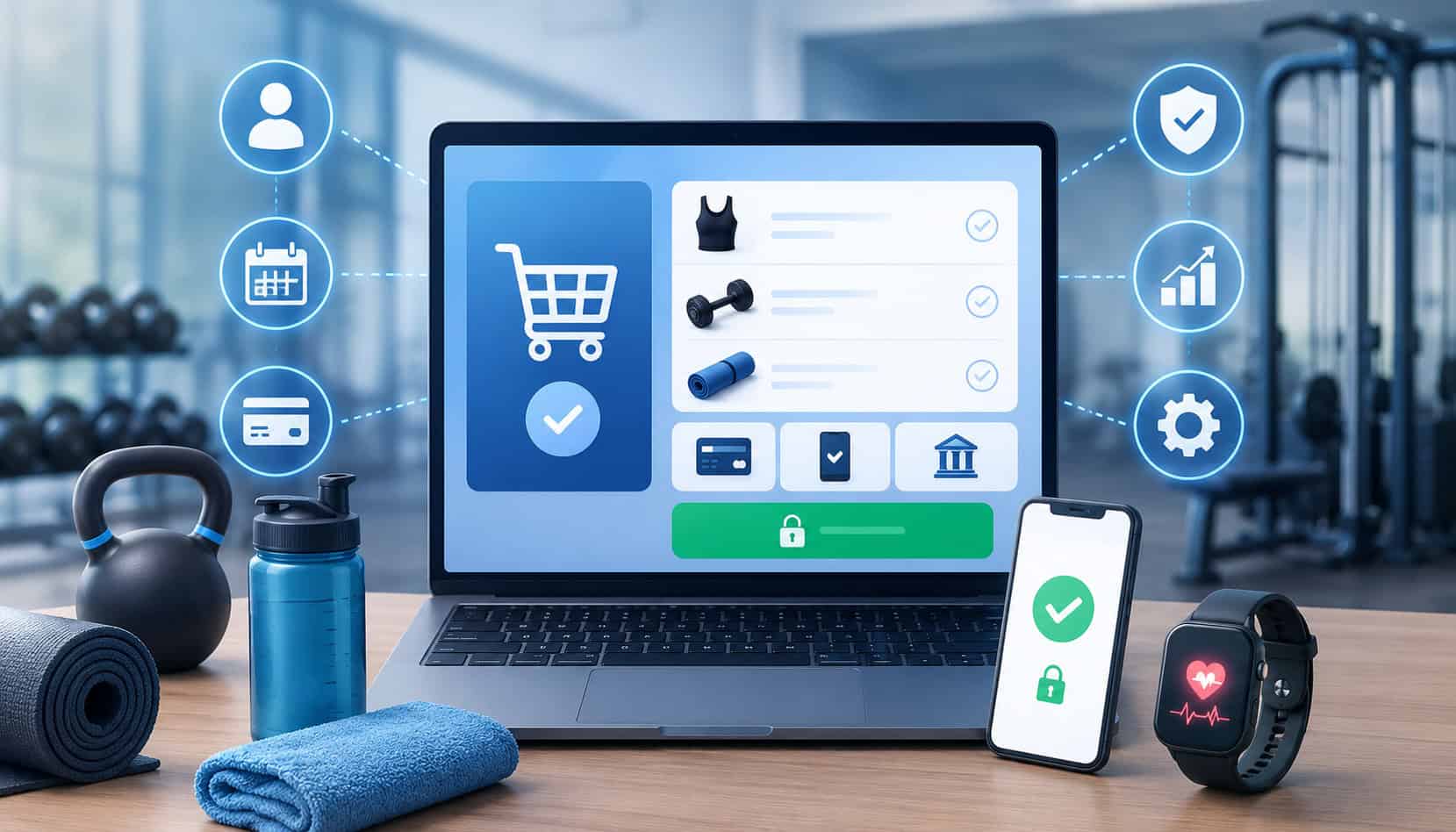
Fitness businesses rely on payments at nearly every touchpoint. A new member may join through a website, reserve a class from a phone, buy a personal training package after a consultation, pay for an event, order branded apparel, or subscribe to a digital workout plan. Each of those actions needs a checkout experience that is fast, secure, and easy to understand.
That is why online checkout systems for fitness businesses are no longer optional. They help gyms, studios, trainers, wellness centers, and hybrid fitness brands collect payments without forcing every transaction through the front desk.
A strong checkout setup supports memberships, class packages, recurring payments, drop-ins, retail sales, digital programs, gift cards, workshops, and automated invoices. It also reduces friction for members who want to pay from their phones, update billing details, or renew plans without calling during business hours.
For operators, the right system brings structure. It connects payment acceptance, membership records, class booking payments, receipts, reporting, and failed-payment follow-up into one smoother workflow.
What Are Online Checkout Systems for Fitness Businesses?
Online checkout systems for fitness businesses are digital tools that let members and customers pay for fitness services through a website, mobile app, booking page, invoice, or payment link.
Instead of collecting every payment manually, a business can present a secure checkout page where the customer chooses a membership, class, package, product, or program and completes payment online.
A complete checkout setup usually includes several connected pieces. The payment gateway securely transmits card, ACH, or wallet payment details. The checkout page displays pricing, policies, taxes, discounts, and plan options.
The booking or membership system records what the customer purchased. The processor moves funds through the payment network and into the business account.
These systems can support one-time purchases and recurring billing for gyms. For example, a member may buy a monthly plan, agree to automatic renewals, and receive receipts after each billing cycle. Another customer may purchase a ten-class pack, reserve a yoga session, and have one class deducted from the package after attendance.
Fitness business online payment systems can also include online invoices, saved cards, payment links, digital wallets, ACH payments for gyms, and mobile-friendly checkout forms. This matters because fitness purchases happen in many places, not just at the front desk.
A practical system may support:
- Membership signup pages
- Class booking payments
- Personal training invoices
- Event registration checkout
- Online store payments
- Digital program purchases
- Saved payment methods
- Failed-payment retries
- Refund and cancellation records
For more context on payment infrastructure built around memberships, drop-ins, and online bookings, see this guide on payment processing infrastructure for fitness businesses.
Why Fitness Businesses Need Online Payment Systems
Fitness businesses need online payment systems because today’s customer expects convenience. A person who finds a class online should be able to reserve it immediately.
A member who wants to renew a package should not need to wait in line. A parent signing up a child for a training program should be able to pay from home and receive confirmation instantly.
Online payment processing for gyms also reduces front-desk workload. Staff can spend less time entering card details, chasing missed payments, printing receipts, or manually reconciling memberships. Instead, payments can flow through connected systems that update member profiles, booking records, and reports automatically.
This is especially important for businesses with memberships and subscriptions. Missed payments, expired cards, and unclear billing terms can create cash flow problems. Membership checkout systems with recurring billing, card-on-file tools, and automated reminders help reduce those gaps.
Online checkout also supports growth beyond the physical location. Fitness businesses can sell digital training plans, nutrition coaching, remote consultations, livestream classes, branded merchandise, and workshops through ecommerce checkout.
Gym ecommerce checkout solutions make it easier to turn interest into revenue while the customer is still engaged.
| Checkout Feature | What It Does | Why It Matters |
| Secure checkout page | Lets customers pay online through a protected form | Reduces manual handling of payment details |
| Payment gateway | Sends transaction data securely for authorization | Connects the website, processor, and payment networks |
| Recurring billing | Automatically charges approved membership plans | Helps stabilize monthly revenue |
| Class booking payments | Collects payment during reservation | Reduces no-shows and unpaid bookings |
| ACH payments | Allows bank-based recurring payments | Can be useful for memberships and larger plans |
| Mobile wallet payments | Supports wallet-based checkout | Improves speed and convenience on mobile |
| Online invoices | Sends payable invoices by email or link | Helps collect personal training and private-session payments |
| Reporting tools | Tracks payments, refunds, disputes, and deposits | Improves financial visibility |
Membership Signup and Recurring Billing
Membership signup is one of the most important uses for online checkout systems for fitness businesses. A good checkout flow allows customers to choose a monthly membership, annual plan, family account, class subscription, or premium access option without staff manually building the transaction.
Recurring billing for gyms helps automate renewals. Once the customer agrees to the billing terms, the system can charge the saved payment method on schedule, send receipts, update the member record, and flag failed payments for follow-up. This reduces missed collections and gives the business a more predictable revenue base.
Clear terms are essential. The checkout page should show the billing amount, billing frequency, renewal date, cancellation policy, freeze policy, and any setup fees before the customer pays.
Class Booking and Package Payments
Class booking payments help fitness businesses collect money at the moment of intent. When a customer reserves a spin class, Pilates session, bootcamp, yoga workshop, or small-group training spot, checkout can collect payment immediately or deduct a visit from an existing package.
This makes the booking process cleaner for both the customer and the business. Members can see available classes, choose a time, apply a package, pay a drop-in fee, or reserve with a deposit. The system can then send confirmation, update capacity, and reduce the chance of unpaid attendance.
Package checkout is also useful for class packs and limited-use plans. A customer may buy five, ten, or twenty sessions online and use them over time.
Retail and Digital Product Checkout
Many fitness businesses sell more than access to workouts. They may offer apparel, supplements, resistance bands, recovery tools, meal plans, digital courses, livestream programs, or downloadable training guides. Fitness studio checkout software can support these purchases through ecommerce checkout.
Retail checkout should feel familiar. Customers expect product descriptions, quantity options, shipping or pickup details, taxes, discounts, and digital receipts. For digital products, the system should deliver access instructions automatically after payment.
This type of checkout can create additional revenue without adding pressure to the front desk. It also helps hybrid fitness brands sell beyond class schedules and memberships.
How Gym Ecommerce Checkout Solutions Work
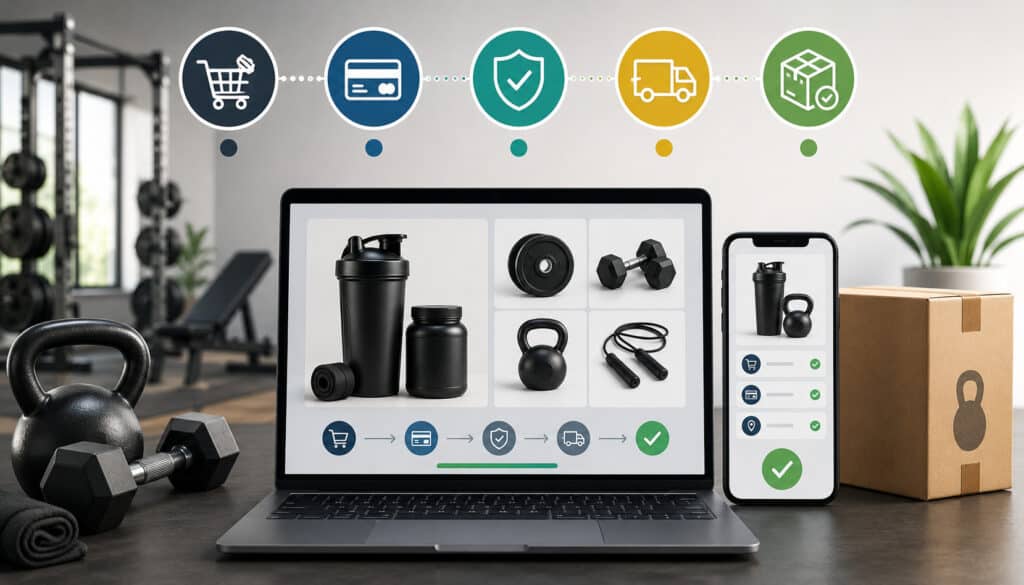
Gym ecommerce checkout solutions work by connecting the customer’s purchase decision to the payment processor and business management software. The journey usually starts when a customer selects a service, product, or membership from a website, booking page, or app.
The checkout page then displays the purchase details. This may include the membership name, class date, package size, price, renewal terms, taxes, discounts, and cancellation policy. A secure gym checkout flow should make these details easy to review before payment.
Next, the customer enters payment information or selects a saved method. Depending on the system, this may include credit cards, debit cards, ACH, mobile wallet payments, or a payment link. The gym payment gateway securely sends the transaction for authorization.
After approval, the system confirms the order. The customer receives a receipt, booking confirmation, membership activation notice, or access instructions. At the same time, the business system records the transaction, updates the customer profile, and adds the payment to reports.
For recurring plans, the checkout system also stores a secure token instead of raw card data. This lets the business bill future payments without repeatedly asking the member to re-enter card information.
Tokenization and PCI-aware workflows can reduce exposure when implemented correctly. A helpful overview of compliance concepts is available in this PCI compliance guide.
Pro Tip: Test the full checkout journey as a customer. Review the payment page, receipt, confirmation email, cancellation instructions, and member profile update.
A strong workflow usually includes:
- Clear service selection
- Transparent pricing
- Secure payment capture
- Immediate confirmation
- Automated receipt delivery
- Member or order record updates
- Reporting and reconciliation
- Failed-payment handling
When these steps work together, online fitness payments feel smooth for members and manageable for staff.
Payment Methods Fitness Checkout Systems Should Support
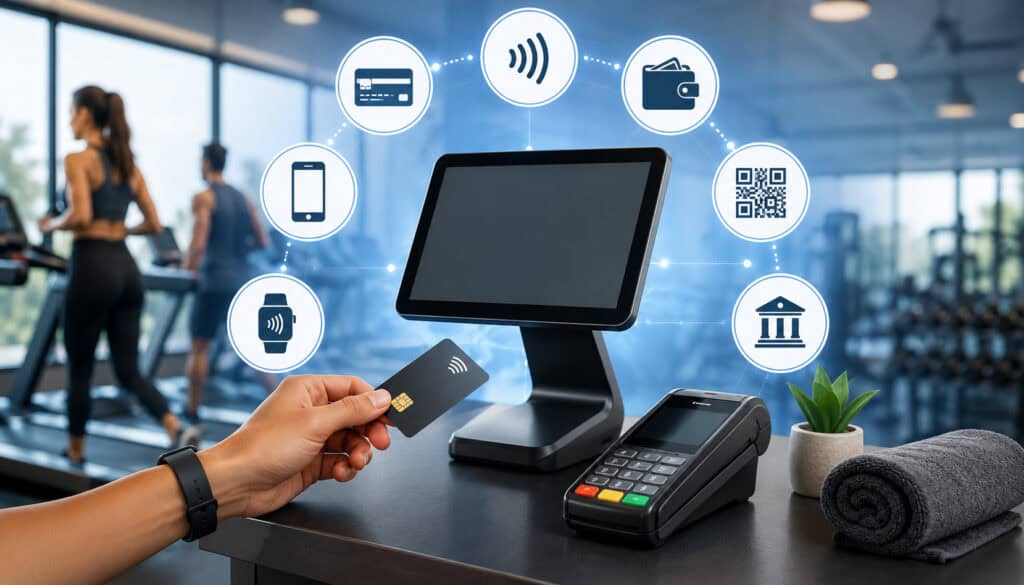
Fitness checkout systems should support the payment methods members actually use. A limited checkout setup may create friction, especially when customers are trying to book quickly from a phone. Digital payment solutions for fitness studios should balance convenience, cost, and operational control.
Cards remain a core payment method for memberships, packages, and retail purchases. Credit and debit cards work well for quick checkout, saved billing, and online invoices. However, businesses should also consider ACH payments for gyms, especially for recurring memberships or higher-value plans.
ACH can be useful because it pulls from a bank account rather than a card. This may reduce problems caused by expired cards, although bank payments have their own return and timing considerations. Fitness businesses should clearly explain timing, authorization, and failed-payment policies when using ACH.
Mobile wallet payments can improve checkout speed for customers using phones. Wallets may reduce typing, which can help lower abandonment on mobile checkout pages. Payment links and online invoices are useful for personal training, private coaching, deposits, special programs, and overdue balances.
Contactless payments also matter when online and in-person systems connect. A customer might buy a package online, check in at the studio, then purchase a smoothie or shirt with a tap-to-pay method. The more unified the payment setup, the easier reporting becomes.
Important payment options include:
- Credit cards
- Debit cards
- ACH or bank drafts
- Mobile wallets
- Online invoices
- Payment links
- Contactless in-person payments
- Stored payment methods for renewals
For broader setup considerations, this resource on opening a merchant account for a gym explains why documentation, billing clarity, and recurring-payment structure matter.
Security Features for Online Fitness Payments

Security is one of the most important parts of online checkout systems for fitness businesses. Members trust fitness businesses with payment details, membership records, personal information, and sometimes health-adjacent service preferences. That trust can be damaged quickly if checkout feels unsafe or poorly managed.
A secure gym checkout should use encryption during payment transmission. Sensitive payment information should not be sent through unprotected forms, email, spreadsheets, or handwritten notes. The checkout system should route payment data through secure, PCI-aware workflows.
Tokenization is another key feature. Instead of storing raw card details, the system stores a token that can be used for future billing. This supports recurring billing for gyms while reducing direct exposure to sensitive card data.
User permissions also matter. Not every employee needs access to refunds, stored payment settings, customer billing history, or reports. A good system allows role-based permissions so staff can do their jobs without unnecessary access.
Refund controls are equally important. Managers should be able to review refund activity, voids, credits, and manual adjustments. This helps prevent mistakes and creates accountability.
Fraud monitoring can help identify unusual activity, mismatched billing details, repeated failed attempts, or suspicious transactions. Digital receipts and confirmation emails also support transparency by giving customers proof of purchase immediately.
Security features to compare include:
- Encryption
- Tokenization
- Secure hosted checkout
- PCI-aware workflows
- Card-on-file controls
- User permissions
- Refund approval settings
- Fraud monitoring
- Digital receipts
- Audit logs
Secure checkout is not only about compliance. It is also about member confidence. When checkout is clear, professional, and protected, customers are more comfortable signing up, saving payment methods, and renewing online.
Benefits of Online Payment Processing for Gyms
Online payment processing for gyms offers practical benefits across sales, operations, reporting, and customer experience. The first benefit is convenience. Members can join, book, renew, and pay without being limited by front-desk hours.
The second benefit is faster collection. When payments happen at signup or booking, the business reduces unpaid reservations, delayed invoices, and manual follow-up. This is especially helpful for class booking payments, private training deposits, workshops, and short-term programs.
Recurring billing also improves cash flow. Instead of relying on staff to process every membership payment manually, the system can bill approved plans automatically. Failed-payment alerts and retry tools help the business respond quickly when a card expires or a payment is declined.
Reporting becomes easier when payments are connected to memberships, bookings, and customer profiles. A fitness business can review revenue by membership type, class package, trainer, retail category, location, or payment method. Better reporting supports better decisions.
Online checkout also reduces front-desk pressure. Staff no longer need to key in every card, explain every package from scratch, or manually issue every receipt. This gives them more time to support members, answer questions, and create a better in-person experience.
Key benefits include:
- Faster membership signups
- Fewer unpaid bookings
- Better recurring revenue management
- Reduced administrative work
- Improved mobile convenience
- Cleaner reporting
- Stronger payment records
- Better member experience
Fitness payment processing is not just a back-office function. It directly affects how easily customers buy and how consistently the business collects.
Common Online Checkout Challenges
Even strong online checkout systems can create problems if they are poorly configured. One common issue is cart abandonment. Customers may leave checkout if the page is too long, loads slowly, requires too many account steps, or hides fees until the end.
Failed payments are another major challenge. Cards expire, banks decline transactions, members change accounts, and payment credentials become outdated. Without automated alerts and retry workflows, failed payments can quietly reduce revenue.
Confusing cancellation terms can also lead to disputes. If customers do not understand renewal timing, cancellation deadlines, freeze rules, or refund limits, they may become frustrated after being billed. This is especially important for membership checkout systems.
Duplicate charges can happen when systems do not sync properly or staff manually process a payment that was already completed online. Poor integration between checkout, booking, and membership software can increase these risks.
Weak mobile checkout is another costly issue. Many customers book classes or buy packages from their phones. If buttons are hard to tap, forms are too long, or wallet payments are unavailable, conversion may suffer.
Common challenges include:
- Long checkout forms
- Hidden fees
- Expired cards
- Failed ACH drafts
- Duplicate billing
- Unclear cancellation terms
- Poor mobile layout
- Weak software integration
- Limited payment methods
- Incomplete receipts
The best way to reduce these problems is to test checkout regularly, review reports, train staff, and keep billing policies visible.
Best Practices for Fitness Studio Checkout Software
Fitness studio checkout software should make payment easy for customers and manageable for staff. The first best practice is to simplify the checkout flow. Customers should be able to understand what they are buying, what it costs, when they will be billed, and what happens next.
Clear pricing is essential. Display setup fees, taxes, renewal amounts, trial terms, cancellation rules, package expiration dates, and refund policies before payment. Surprises after checkout can create distrust and increase disputes.
Offer multiple payment methods where they make sense. Cards, ACH, mobile wallets, online invoices, and payment links each serve different use cases. A member joining online may prefer a wallet. A personal training client may prefer an invoice. A long-term membership may work well with ACH.
Receipts should be automatic and detailed. They should include the business name, purchase description, amount, payment date, and contact information for billing questions. For recurring plans, receipts should help members recognize the charge.
Automated reminders can reduce failed payments and missed renewals. For example, a system may notify customers before a renewal, after a failed charge, or when a package is close to expiring.
Useful best practices include:
- Keep checkout steps short
- Make pricing visible
- Use secure hosted payment forms
- Offer relevant payment methods
- Send automatic receipts
- Automate failed-payment reminders
- Test mobile checkout often
- Connect checkout with member records
- Review refund and dispute reports
- Train staff on billing policies
For more payment setup guidance, review this page on payment processing solutions for gyms and fitness studios.
Common Mistakes Fitness Businesses Should Avoid
Fitness businesses should avoid treating checkout as an afterthought. A beautiful website and strong class schedule can still lose sales if the payment process is confusing, slow, or incomplete.
One major mistake is unclear billing language. If a membership renews automatically, the checkout page should say so before payment. If cancellation requires notice, that should be visible. If a package expires, the expiration rule should be clear.
Hidden fees are another problem. Setup fees, late fees, cancellation charges, and processing-related fees should not appear as a surprise. Transparency improves trust and reduces support issues.
Poor mobile design can also hurt revenue. Many customers discover fitness services through mobile search, social media, referral links, or booking apps. If checkout does not work well on a phone, the business may lose customers at the final step.
Insecure payment handling is a serious mistake. Staff should not collect card numbers through email, text, chat, or paper forms when secure alternatives are available. Payment links, hosted checkout, and secure invoices are safer options.
Ignoring failed transactions is another common issue. A failed recurring charge should trigger a workflow, not sit unnoticed. The system should notify the customer, retry when appropriate, and alert staff if follow-up is needed.
Avoid these mistakes:
- Vague recurring billing terms
- Hidden costs
- Weak refund policy visibility
- Slow mobile checkout
- Manual card handling
- Disconnected booking and billing systems
- No failed-payment workflow
- Inconsistent staff explanations
- Poor receipt details
- Limited reporting review
A checkout system should reduce confusion, not create it. The clearer the process, the easier it is to build trust and collect payments consistently.
What are online checkout systems for fitness businesses?
Online checkout systems for fitness businesses are digital payment tools that allow customers to pay for memberships, classes, packages, retail products, personal training, events, and online programs through a website, app, invoice, or payment link.
They usually include a checkout page, payment gateway, payment processor, receipt system, and connection to booking or membership software. The goal is to make payment simple for customers while helping the business track sales, renewals, and records.
Why do gyms need online payment processing?
Gyms need online payment processing because members expect flexible ways to join, book, and pay. A customer may want to sign up after viewing a class schedule, buy a package from a phone, or update payment details without visiting the front desk.
Online payment processing also helps reduce manual billing work. It can automate recurring memberships, send receipts, track failed payments, and improve reporting.
Can online checkout support recurring memberships?
Yes. Many membership checkout systems support recurring memberships, automatic renewals, annual plans, family memberships, and class subscriptions.
The checkout should clearly show the billing frequency, amount, start date, renewal terms, and cancellation policy. This helps members understand what they are agreeing to before submitting payment.
What payment methods should fitness businesses accept?
Fitness businesses should usually consider credit cards, debit cards, ACH, mobile wallet payments, online invoices, and payment links. Contactless payments may also be useful for in-person retail or front-desk purchases.
The best mix depends on the business model. A studio focused on recurring memberships may value ACH and card-on-file tools, while a class-based business may prioritize fast mobile checkout.
Are online fitness payments secure?
Online fitness payments can be secure when processed through protected checkout pages, encrypted transmission, tokenization, PCI-aware workflows, and controlled staff permissions.
Businesses should avoid collecting card details through insecure channels. Secure invoices, hosted checkout pages, and payment links are better options for remote payments.
How can gyms reduce failed payments?
Gyms can reduce failed payments by using card updater tools where available, sending renewal reminders, accepting ACH for suitable plans, notifying members quickly after a failed charge, and allowing easy payment-method updates.
Staff should also review failed-payment reports regularly. The faster a failed payment is addressed, the easier it is to recover the balance.
Can checkout systems integrate with fitness software?
Yes. Many checkout systems can integrate with membership management, scheduling, class booking, CRM, accounting, access control, and reporting tools.
Integration matters because it reduces duplicate entry. When payment, booking, and membership records sync properly, staff can avoid manual corrections and customers receive faster confirmations.
What should fitness studios compare before choosing checkout software?
Fitness studios should compare payment methods, recurring billing tools, booking integration, mobile checkout quality, security features, reporting, refund controls, support, contract terms, and total processing costs.
They should also test the customer journey. A system may look good in a demo but still feel confusing during real signup, booking, renewal, or package checkout.
Conclusion
Online checkout systems for fitness businesses help simplify how gyms, studios, trainers, and wellness brands sell memberships, collect class booking payments, process retail orders, manage recurring billing, and accept online fitness payments.
The right setup improves convenience for members and reduces manual work for staff. It can support memberships, class packs, ecommerce sales, digital programs, invoices, ACH, cards, mobile wallets, and secure card-on-file billing.
A strong checkout experience should be fast, transparent, mobile-friendly, secure, and connected to the systems that run the business. When payment is easy, customers are more likely to complete purchases, renew memberships, and stay engaged.